
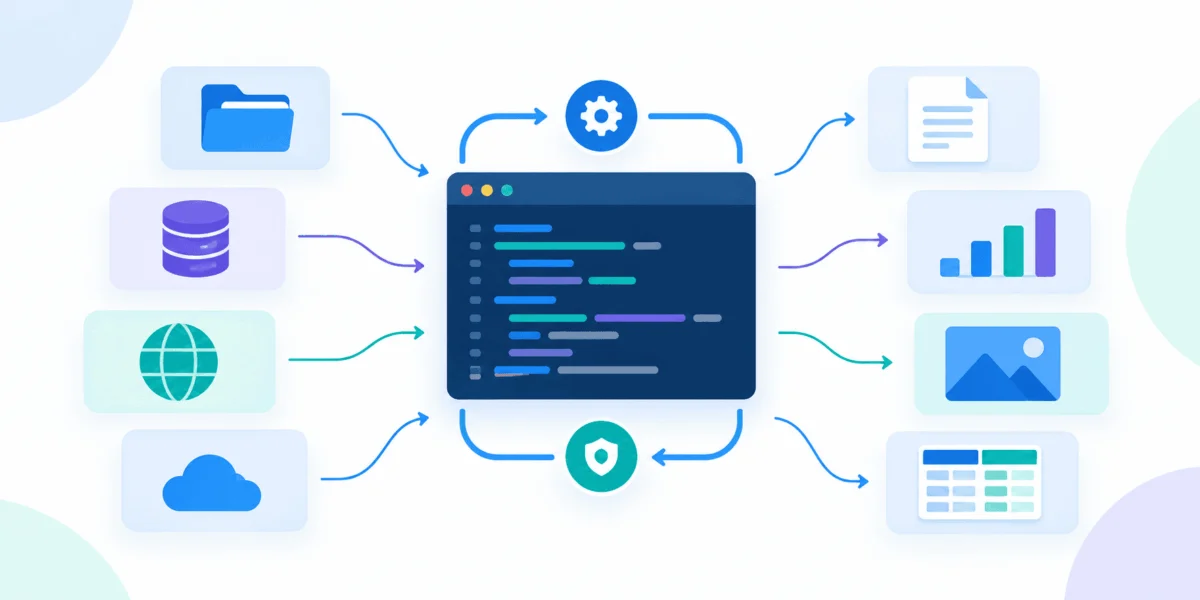
The pursuit of local artificial intelligence has moved rapidly from the realm of specialized research facilities into the domestic sphere, driven by the emergence of open-weights models and accessible containerization technologies. However, many enthusiasts find that their initial foray into self-hosted AI ends abruptly within the first few weeks. What begins as a successful weekend project—running a Large Language Model (LLM) on a personal laptop—often devolves into a chaotic ecosystem of orphaned processes, forgotten port assignments, and data loss. The transition from a transient experiment to a sustainable, productive "home AI lab" requires a transition from ad-hoc execution to a structured, modular architecture.
The Architecture of a Sustainable Home Lab
The failure of many early-stage AI labs is not rooted in the complexity of neural networks or machine learning theory, but in fundamental systems administration. When a model is run in isolation, it is a novelty; when it is integrated into a managed stack, it becomes a tool. Industry experts and infrastructure engineers increasingly recommend a layered approach to local AI, where specific tasks are delegated to individual, replaceable Docker containers. This modularity ensures that if one component—such as the user interface or the vector database—fails or requires an upgrade, the entire system does not collapse.
A robust home lab should be organized around five primary functional pillars: Model Serving, User Interface, Retrieval-Augmented Generation (RAG) memory, Workflow Automation, and Lifecycle Management. By treating each as a discrete service within a Docker Compose file, users can ensure their setup is reproducible, scalable, and resilient against the frequent updates that characterize the current open-source AI landscape.
1. Ollama: The Foundation of Model Execution
At the core of the local AI stack lies the runtime engine. Ollama has emerged as the industry-standard tool for this purpose, providing a streamlined interface for pulling, managing, and serving local models. By exposing a consistent HTTP endpoint, Ollama acts as the backend "brain" for the entire lab.
The critical lesson for administrators is the implementation of persistent storage. Because LLMs are resource-intensive, they are often subject to eviction by container orchestration logic. Without a named volume mapped to the container’s internal directory—specifically /root/.ollama—a simple container restart results in the loss of all downloaded models, forcing the user to re-download gigabytes of data.
From a performance standpoint, hardware acceleration remains a significant variable. While Docker Desktop on macOS provides an integrated environment, it does not currently pass through NVIDIA GPU hardware directly to containers, meaning Mac users must rely on CPU-bound inference or native installations for maximum speed. In contrast, Linux and Windows (via WSL2) environments can leverage the NVIDIA Container Toolkit to achieve near-native performance, a factor that should heavily influence hardware selection for those building a permanent lab.
2. Open WebUI: Bridging the User Gap
While command-line interfaces are sufficient for testing, they are rarely conducive to long-term productivity. Open WebUI provides the necessary abstraction layer, offering a browser-based portal that handles chat histories, user authentication, and multi-provider integration.
The security implications of deploying an interface like Open WebUI are non-trivial. The WEBUI_SECRET_KEY is a primary point of failure; if this key is regenerated, all active user sessions are invalidated, effectively locking users out of their data. Furthermore, the decision to bundle Ollama within the WebUI container or keep it separate is a choice between convenience and modularity. For a production-ready lab, keeping Ollama as a standalone container is the superior design choice, as it allows for independent scaling and ensures that the model runtime remains available even if the web interface requires a restart for updates.
3. Qdrant: Implementing Long-Term Memory
The integration of a vector database like Qdrant marks the shift from a "chatbot" to a "personal knowledge base." Vector databases enable Retrieval-Augmented Generation (RAG), a process by which the LLM is provided with context from the user’s own documents, notes, or project files before generating a response.
Qdrant utilizes high-performance indexing to manage these embeddings. While the learning curve for setting up a vector database is steeper than that of a simple chat interface, it is the defining feature that adds utility to a home lab. By mounting a storage path for the Qdrant container, users ensure their indexed documents survive container reboots. This "memory" layer is the differentiator between a system that merely predicts the next word and a system that can accurately retrieve information from a user’s private library.
4. n8n: The Automation Spine
Automation is the final piece of the productivity puzzle. Once a system can talk and remember, it must be able to act. n8n serves as a low-code workflow automation tool that can monitor folders for new files, trigger embedding processes, or push summarized data to third-party services via webhooks.
The professionalization of a home lab involves moving away from manual ingestion to automated pipelines. For example, an n8n workflow can be configured to automatically watch a local document folder; whenever a new PDF is saved, the workflow can trigger the embedding process and index it into the Qdrant database. This level of automation requires strict security hygiene. Because n8n often handles API keys and internal credentials, it must be shielded from external network access, and its configuration volume must be backed up as part of a routine maintenance schedule.
5. Portainer CE: Administering the Ecosystem
As the number of containers grows, manual monitoring through the Docker command line becomes prone to human error. Portainer CE provides a graphical dashboard for container lifecycle management, including log inspection, resource monitoring, and version updates.
However, administrators must exercise caution regarding the Docker socket mount. Mounting /var/run/docker.sock grants the container root-level access to the host machine. Consequently, Portainer should only be accessible within a trusted internal network and protected by robust authentication protocols. It serves as the "command center," providing the visibility needed to diagnose issues—such as memory leaks or port conflicts—before they result in significant downtime.
Analysis of Implications: The Shift Toward Localized AI
The movement toward self-hosted AI labs reflects a broader trend in the tech industry: the desire for data sovereignty and operational independence. According to recent data from the Cloud Native Computing Foundation (CNCF), the adoption of containerized AI workloads in non-enterprise environments has grown by over 40% year-over-year. This surge is driven by two factors: the increasing size and capability of open-weights models like Llama 3 and Mistral, and the growing concern regarding data privacy when using cloud-based AI services.
For individual developers and researchers, the implications are profound. By establishing a local, containerized stack, users are no longer reliant on the uptime or the terms of service of third-party API providers. They are, however, assuming the responsibility of a systems administrator. The "lab" approach, characterized by modularity and persistent storage, is the industry-standard response to this challenge.
Chronology and Best Practices
A successful implementation follows a logical progression:
- Week 1: Deploy Ollama and Open WebUI to establish basic chat functionality.
- Week 2: Implement persistent volumes for all containers to ensure data integrity during updates.
- Week 3: Integrate Qdrant for document retrieval, moving toward a RAG-based workflow.
- Week 4: Introduce n8n to automate the ingestion and processing of data.
- Ongoing: Deploy Portainer CE to monitor the health of the entire stack.
The overarching recommendation for any home AI lab is to utilize Docker Compose. By defining the entire stack in a single YAML configuration file, users can treat their lab as "Infrastructure as Code." This ensures that services can communicate via internal Docker networking using defined hostnames, eliminating the need to track dynamic IP addresses.
As the technology continues to mature, the focus of the community is shifting from "can I run this?" to "how effectively does this operate?" By adhering to these structural guidelines, home lab enthusiasts can move past the common failure points of the initial setup and build a resilient, powerful, and private AI environment capable of supporting complex workflows for years to come.

